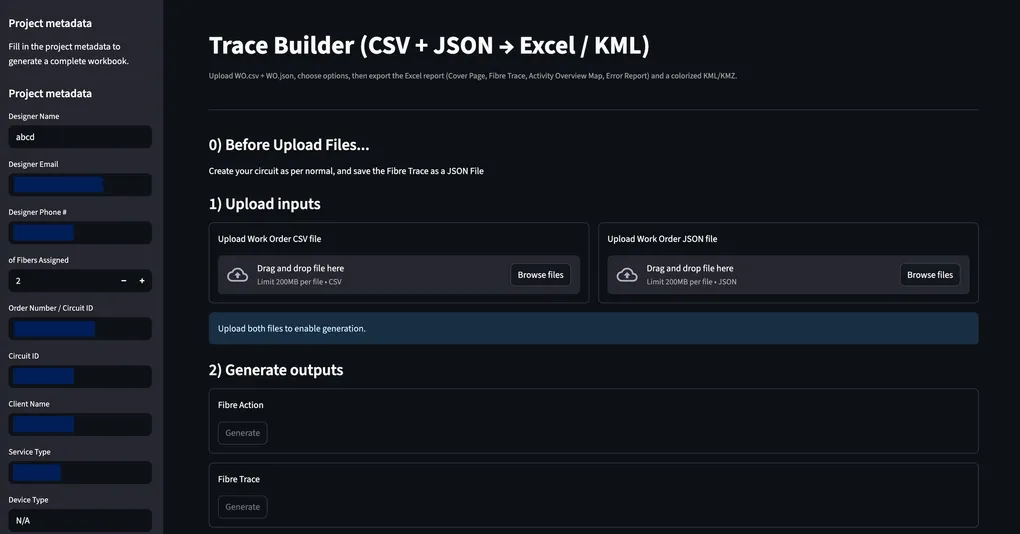
SmartTrace: Streamlit Embedded Tool for Automating Fibre Trace Reports from Work Orders & Circuit Data
SmartTrace is a Python-based automation tool that transforms raw Work Order (WO) files and circuit JSON exports into structured, engineer-ready Excel reports and KML files. The project was designed to eliminate repetitive manual processing when generating fibre trace documentation especially splice details, device summaries, action logs, and geospatial references.
👉 Source Code: https://github.com/Kristiehu/SmartTrace
Problem Statement
In fibre network operations, generating a complete trace report typically involves:
- Parsing Work Order CSVs
- Extracting metadata (Order ID, Designer, A/Z end, etc.)
- Interpreting large “Connections” text blobs from circuit JSON
- Counting fibre breaks and splices
- Extracting cable lengths and OTDR values
- Identifying equipment locations
- Generating Excel reports that follow strict internal formatting
- Optionally exporting KML for spatial visualization
This process is time-consuming, error-prone, and difficult to scale as network complexity grows. SmartTrace helpes to automate the entire workflow.
Architecture Overview
The project is modular and organized by responsibility:
app/
├── app.py                  # Streamlit UI
├── trace_report.py         # Excel report generation
├── fibre_trace.py          # Splice & cable parsing logic
├── parse_device_sheet.py   # Device extraction from JSON
├── remove_add_algo.py      # Action summary & fibre counts
├── _to_kml.py              # KML export
└── kml_helper.py           # helpers
Tech Stack
- Language
- Python 3
- UI
- Streamlit
- Data Processing
- pandas
- Excel Reporting
- openpyxl + xlsxwriter
- Geospatial Export
- KML generation
- Regex Parsing
- Python
remodule
Core Functionalities
1. Data Parsing: Work Orders & Circuit JSON
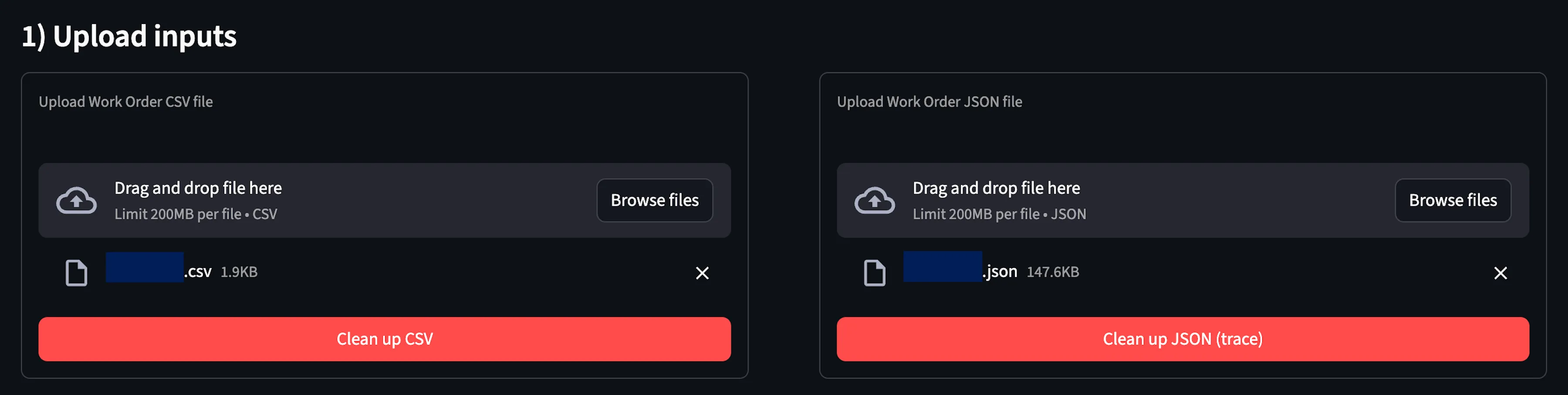
The tool extracts structured key-value metadata from WO CSV files:
- Order Number
- Work Order Number
- Designer Info
- A-End / Z-End
- Date
- Circuit Details
It also isolates the Action / Description / SAP table for inclusion in the final report. From the circuit JSON, it parses the large “Connections” text blob to extract:
- Extracts
Connectionsblocks - Decodes encoded tokens (
<COMMA>,<COLON>, etc.) - Identifies:
- Equipment Locations
- Splice Boxes (FOSC)
- SS / Coil devices
- Fibre ranges
[1-12] - Cable Length
- OTDR Length
- Meter Marks
- Detects latitude & longitude for Google Maps linking
2. Fibre Analytics: Actions, Trace, and Activity Overview Map
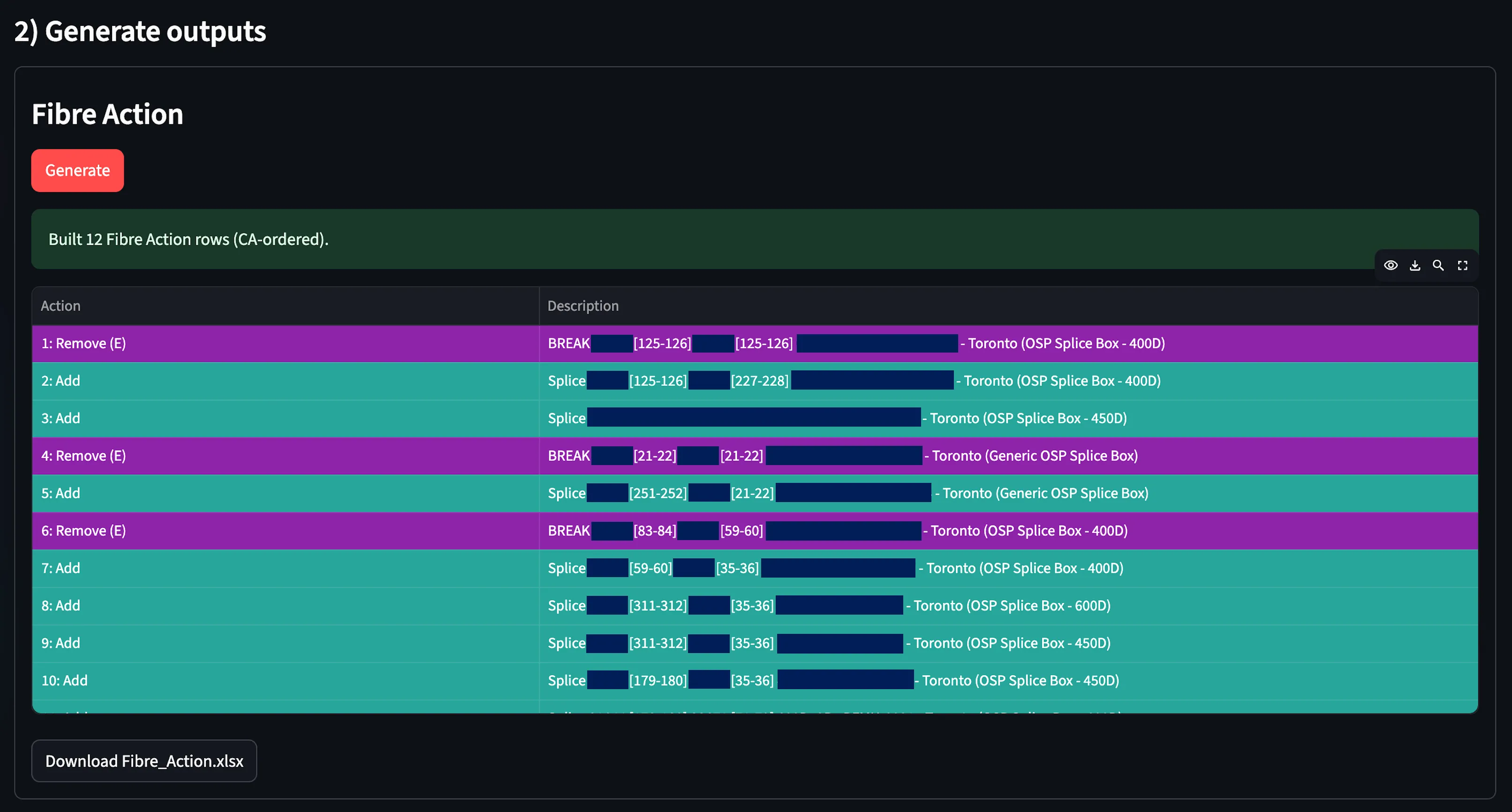
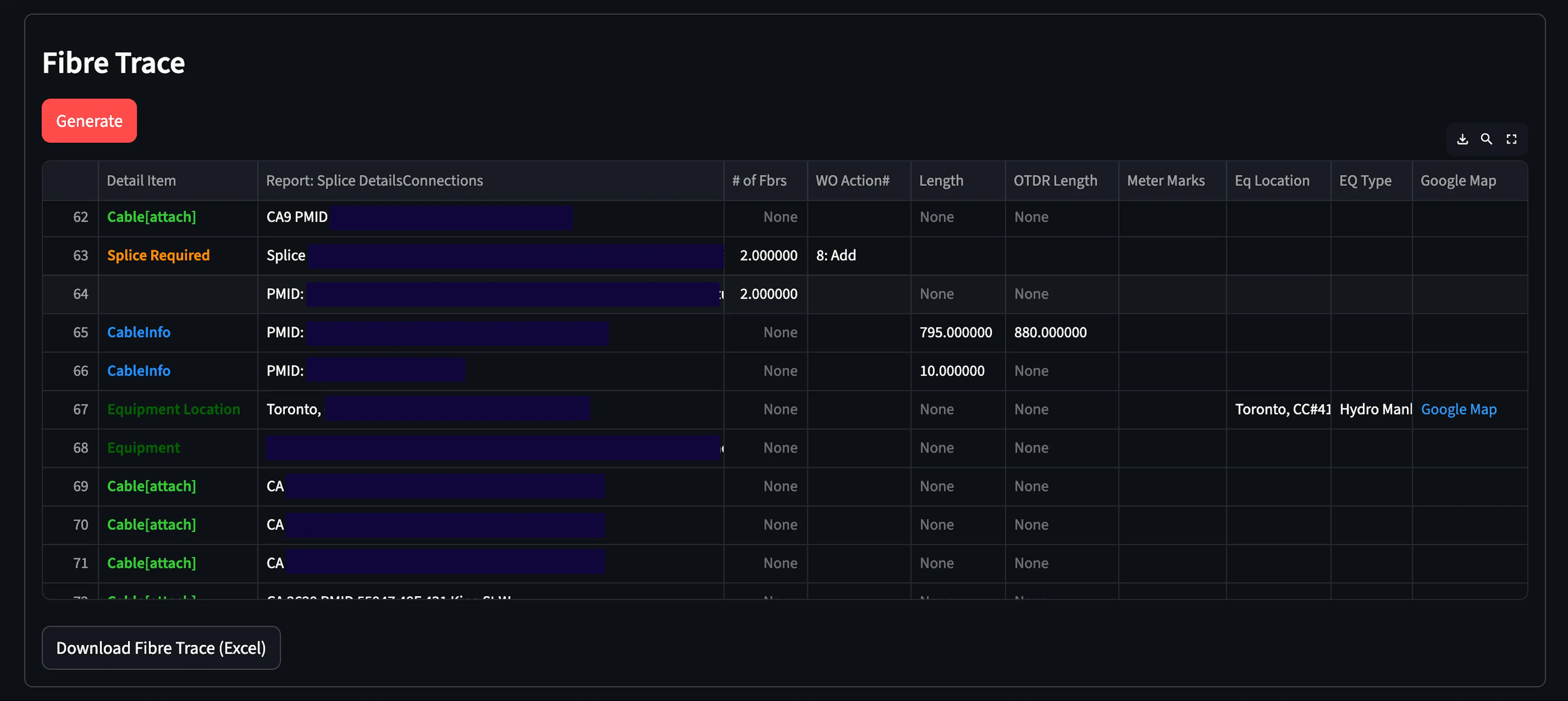
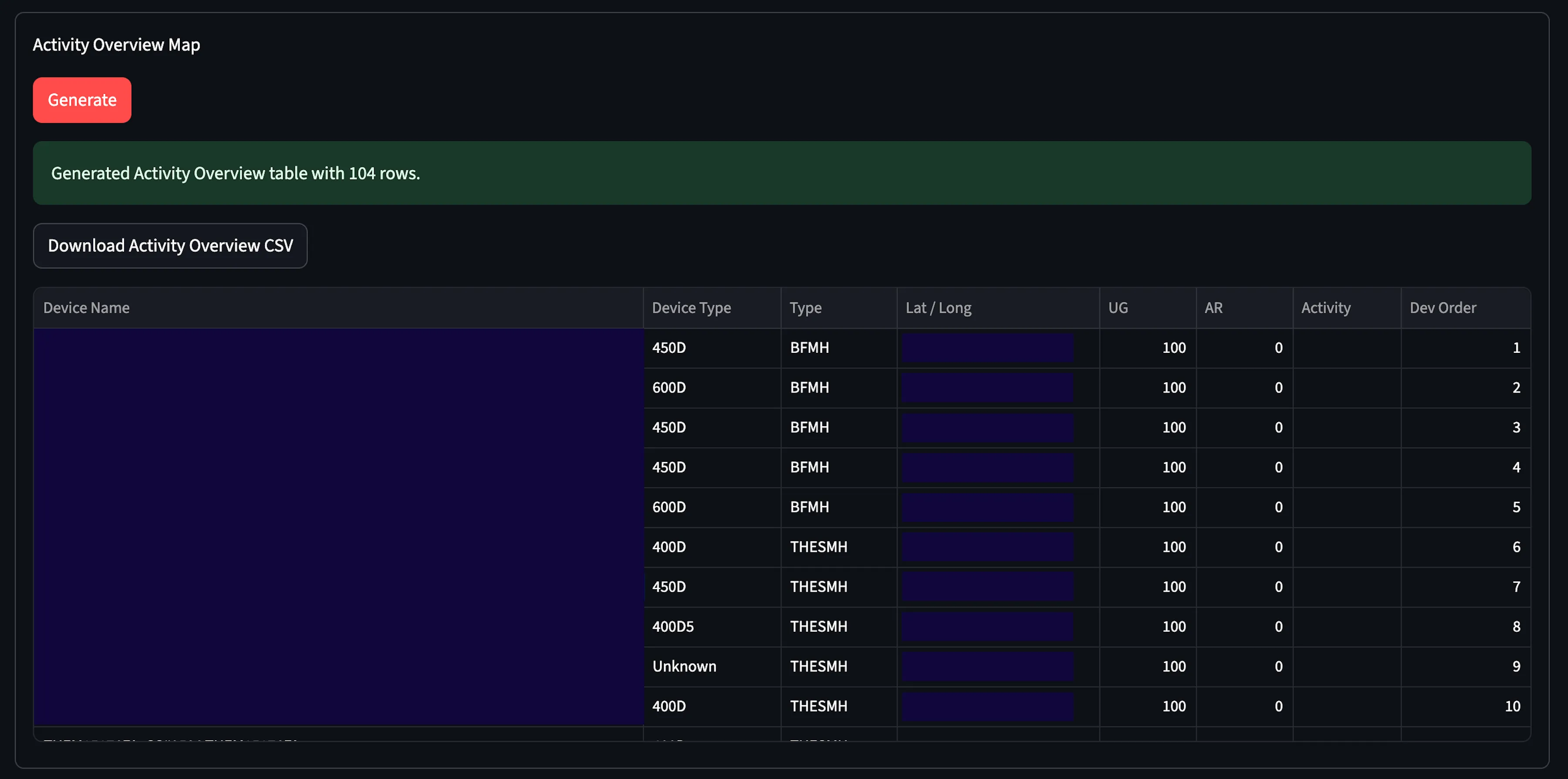
The system automatically computes:
- Number of fibre breaks
- Number of fibre splices
- End-to-end cable length
- Total OTDR length
This eliminates manual counting from long splice descriptions.
3. Excel Report Generation
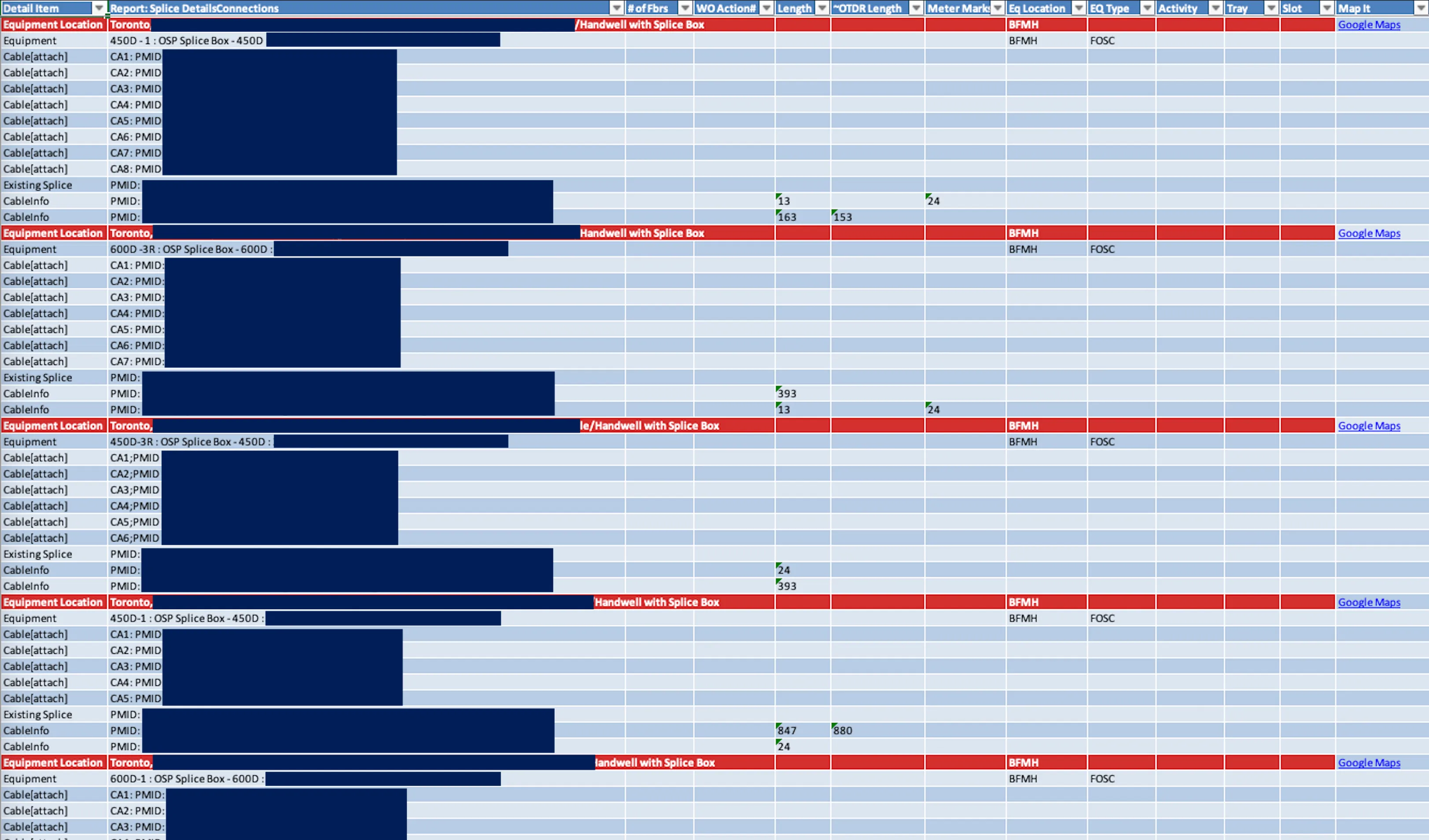
Produces a cleaned & structured Excel report:
- Header grid (Order Info + Fibre Metrics)
- Action / Description / SAP table
- Fully formatted cells
- Clean layout matching engineering standards
- Equipment Location
- Equipment Type
- Splice Details
- Cable Attachments
- Length + OTDR metrics
- Google Maps hyperlink (if lat/lon available)
4. KML Export
Automatically generates KML files for:
- Visualizing fibre routes
- Equipment coordinates
- Mapping trace paths

This enables direct import into Google Earth or GIS platforms.
How to Run
pip install -r requirements.txt
streamlit run app_v2.py